# Smart Citizen Kit
!!! tip "Quick links"
:gift: **Buy: [seeedstudio.com](https://www.seeedstudio.com/Smart-Citizen2-3-p-6327.html) and [LABmaker](https://www.labmaker.org/collections/earth-and-ecology/products/smart-citizen-kit)**
:rocket: **Installation: [start.smartcitizen.me](https://start.smartcitizen.me/)**
:earth_africa: **Platform: [smartcitizen.me/kits](https://smartcitizen.me/kits)**
:computer: **API: [api.smartcitizen.me](https://api.smartcitizen.me)**
:speech_balloon: **Discuss: [forum.smartcitizen.me](https://forum.smartcitizen.me)**
:question: **Support: [support@smartcitizen.me](mailto:support@smartcitizen.me)**
:sparkles: **Something big?: [info@smartcitizen.me](mailto:info@smartcitizen.me)**
:rotating_light: **Platform status: [status.smartcitizen.me](https://status.smartcitizen.me)**
:umbrella: **Enclosures: [enclosures.smartcitizen.me](https://enclosures.smartcitizen.me)**
## What is the Smart Citizen Kit?
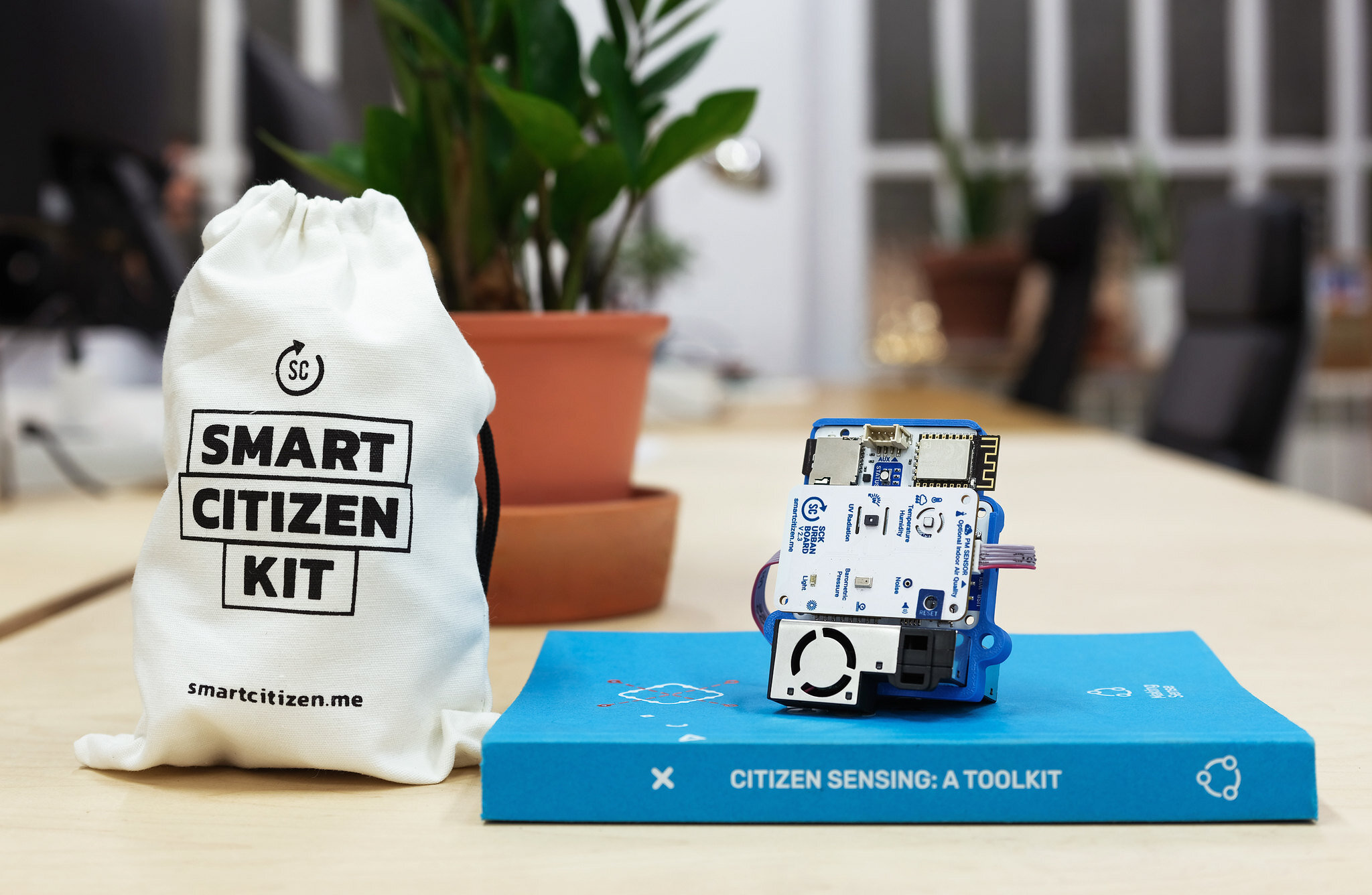
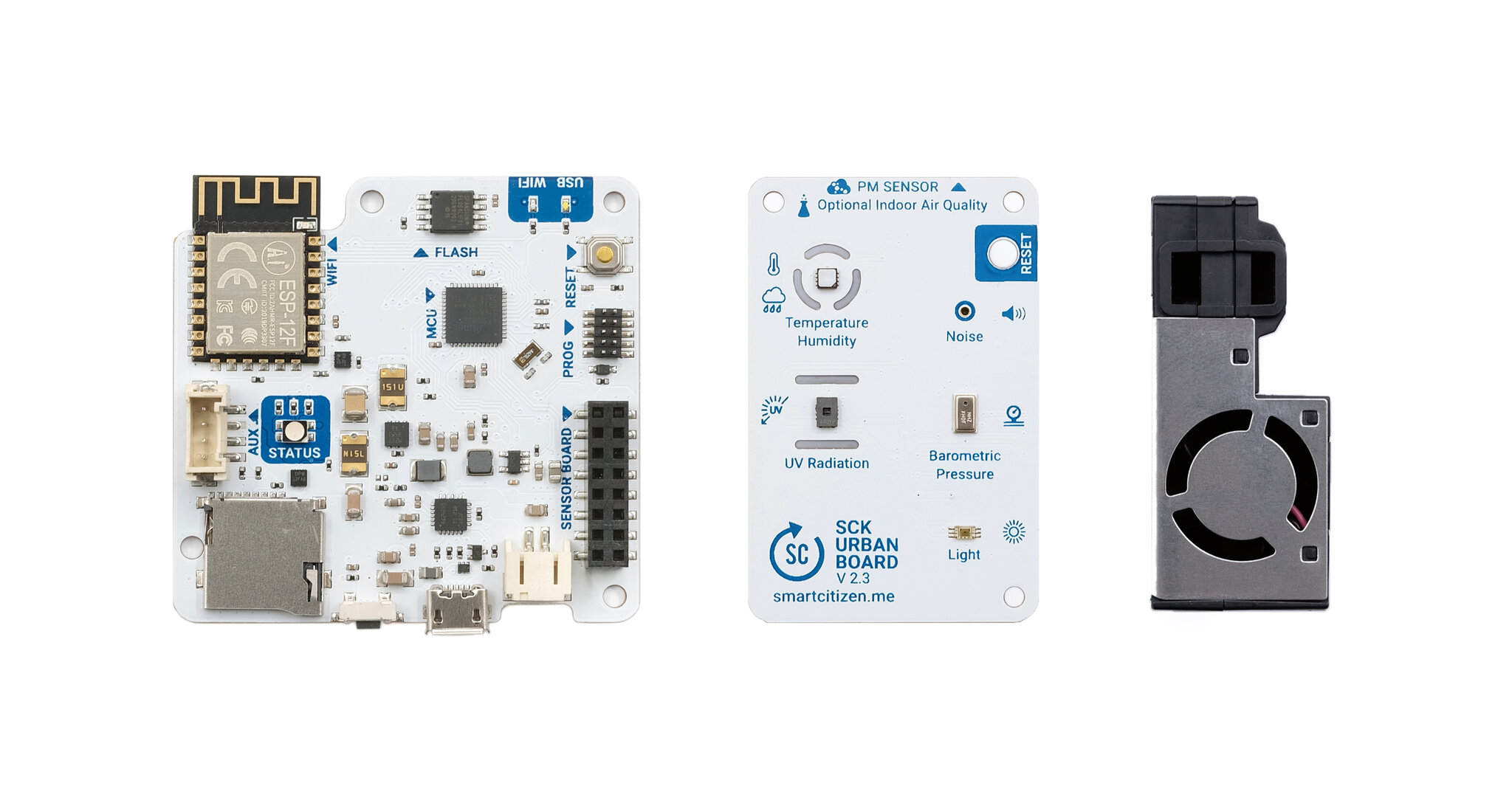
The Smart Citizen Kit (_SCK_ for short, also just _the Kit_) is an open hardware solution for **environmental monitoring** designed to be used by **anyone** (you name it: _citizen scientists_, _educators_, _researchers_, etc.). It can take [measurements](#measurements) of many variables, such as particulate matter, noise, light, and temperature, among many others. **The latest version is the SCK2.3** (see the other [versions](#versions) below).
 !!!tip "More on the use cases"
If you want to learn more about how to use the Smart Citizen Kit, visit our [resources](https://docs.smartcitizen.me/resources.md) page.
The SCK is designed in a **modular** way, with a central _data logger_ (the [Data Board](https://docs.smartcitizen.me/hardware/boards/data-board.md)) with Wi-Fi connectivity, a micro SD-card slot, a micro USB, and a battery connector. Various sensors can be connected, either via the [Urban Board](https://docs.smartcitizen.me/hardware/boards/urban-board.md), featuring different onboard sensors and a particulate matter sensor connector, or through the [Auxiliary port](https://docs.smartcitizen.me/hardware/kit/features.md#auxiliary-connector).

The SCK can send the data to the [Smart Citizen Platform](https://docs.smartcitizen.me/data/data-platform.md), which offers a [web interface](https://docs.smartcitizen.me/data/data-platform.md#front-end-applications) to vizualise data and an [open API](https://docs.smartcitizen.me/data/data-platform.md#api) that can be interfaced with [many other tools](https://docs.smartcitizen.me/data/data-tools.md).
The SCK is designed to be **flexible**, and many custom configurations are possible by adding various [third-party sensors](https://docs.smartcitizen.me/knowledge.md). This can be the starting point for more complex setups, monitoring [air](https://docs.smartcitizen.me/knowledge/air.md), [soil, or water](https://docs.smartcitizen.me/knowledge/soil-water.md) parameters. Any _custom_ configuration based on the SCK also connects to the Smart Citizen Platform with all features freely available. Some more complex configurations are what we call the [Smart Citizen Stations](https://docs.smartcitizen.me/hardware/stations.md).
!!! tip "Want to contribute?"
The whole project is open source, and it makes us **very** happy when we see contributions to it! Feel free to check, copy, and modify the firmware/hardware [repository](https://github.com/fablabbcn/smartcitizen-kit-2x) or [any other](https://github.com/search?q=org%3Afablabbcn+smartcitizen&type=repositories)!
## :hash: Versions
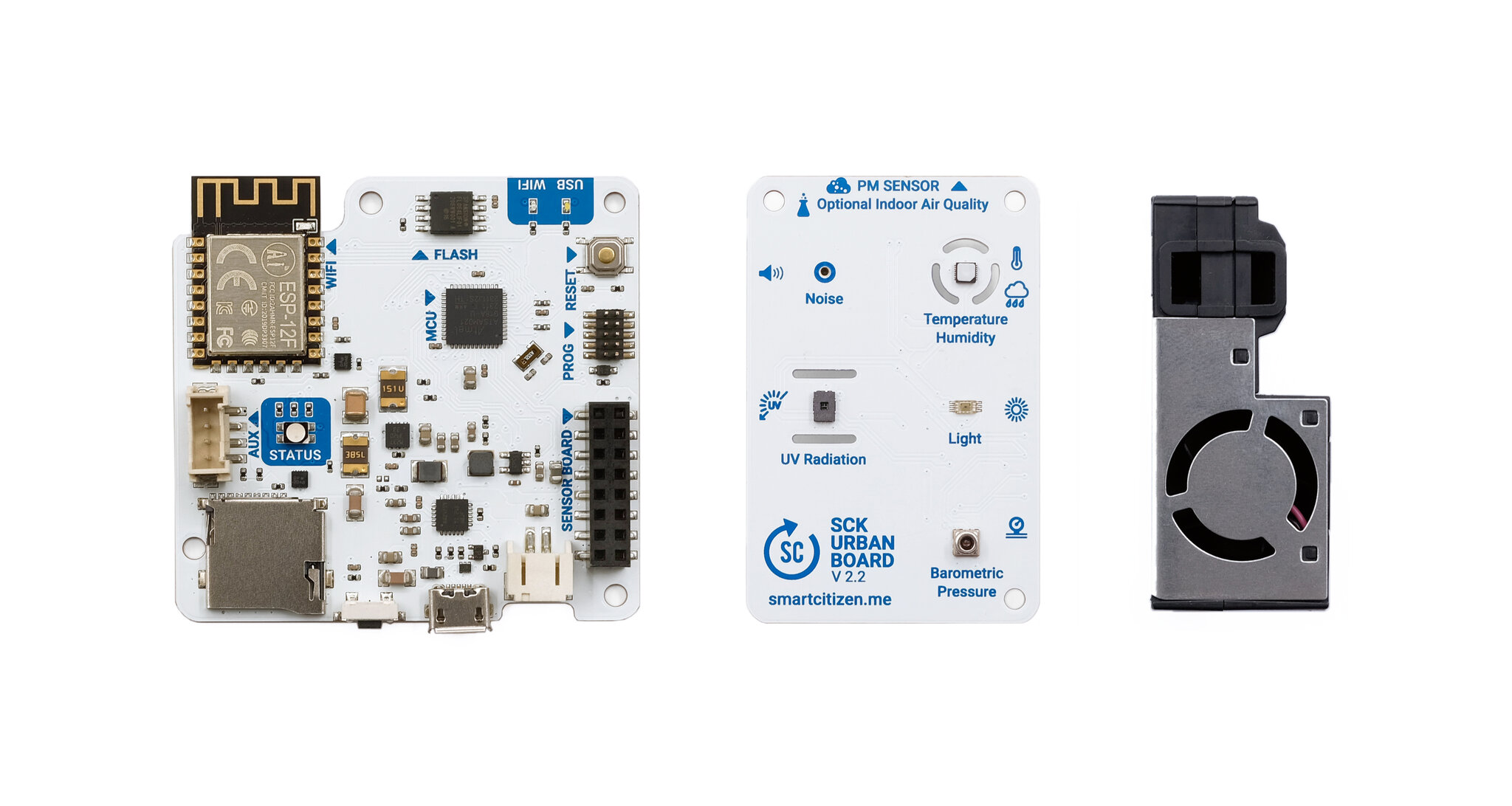
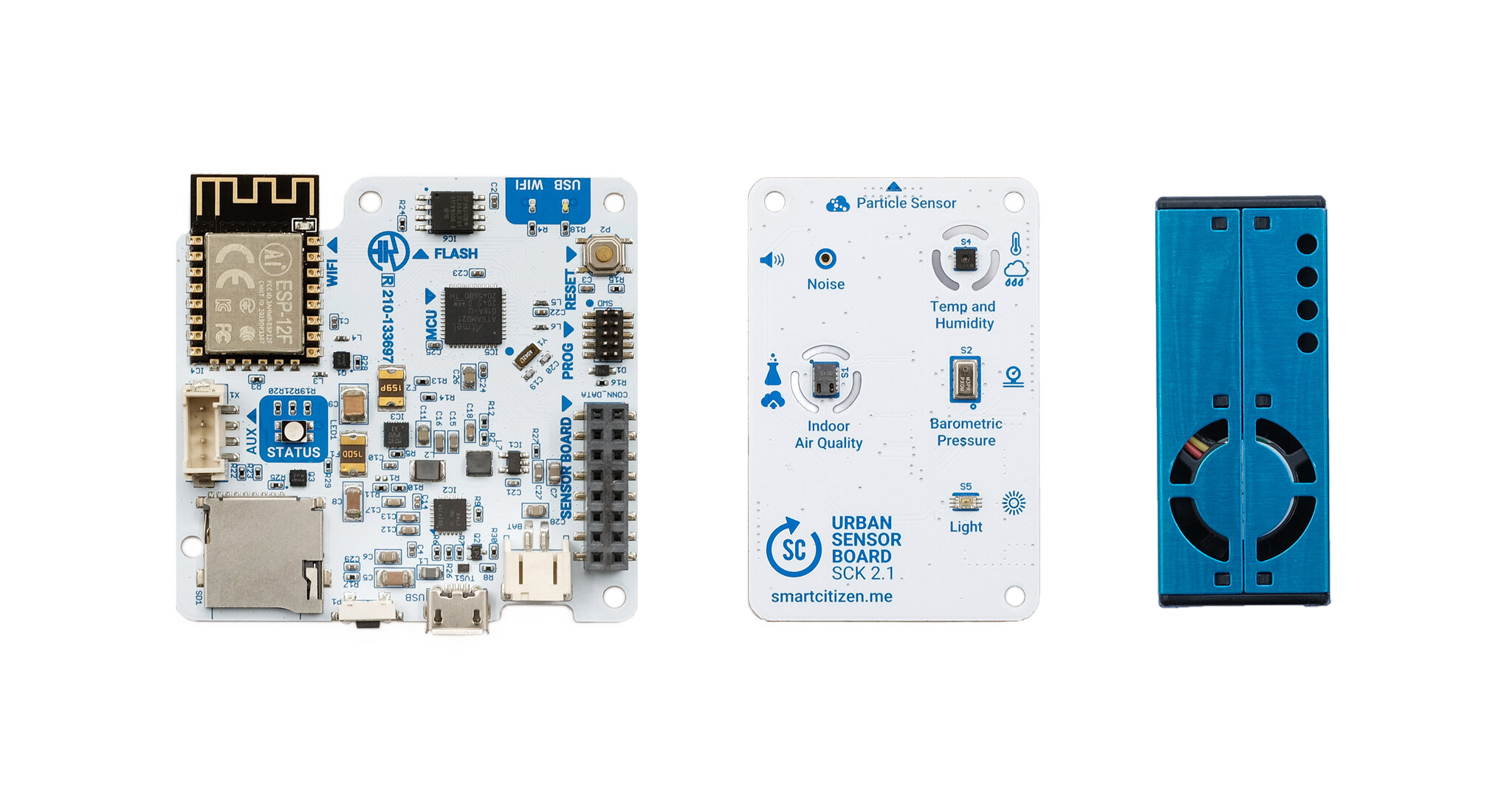
Most of the documentation applies to the **SCK2.1, the SCK2.2, and the SCK2.3 versions**.
=== "SCK2.3"
=== "SCK2.2"
 === "SCK2.1"
 !!! info "Differences"
A summary of the **differences**:
- **Data Board**: 2.1, 2.2, and 2.3 are mostly the same. Only some tweaks on the silkscreen and passive components have changed.
- **Urban Board**: 2.1, 2.2, and 2.3 have many differences. From version 2.1 to 2.2, the PM sensor and pressure sensors have changed. We have added a UV Sensor, and removed the tVOC/eCO2 sensor, as the manufacturer (AMS) discontinued it. The rest has stayed the same (noise, light, temperature, and humidity). The 2.3 version features a small hole to reset the Data board from outside the enclosure and the pressure sensor has changed again, back to the one we had in the SCK2.1.
!!! info "A note about versions and compatibility"
All the SCK2.X generations above 2.1 (included) are fully compatible regarding firmware, and their respective [Urban Boards](https://docs.smartcitizen.me/hardware/boards/urban-board.md) are fully compatible with any [Data Board](https://docs.smartcitizen.me/hardware/boards/data-board.md) of the _2.X series_ (above and including 2.1).
## :ear: Measurements
All the SCK2.X generations above 2.1 (included) measure **at least** air temperature, relative humidity, noise level, ambient light, barometric pressure, and particulate matter (PM).
!!! info "Sensor performance"
Make sure you visit the [sensor knowledge page](https://docs.smartcitizen.me/knowledge.md) for more information!
=== "SCK 2.3"
| Measurement | Units | Sensor |
|:- |:-: |:-: |
| Air temperature | ºC | Sensirion SHT-31 |
| Relative Humidity | % REL | Sensirion SHT-31 |
| Noise level | dBA | Invensense ICS-43432 |
| Ambient light | lux | Rohm BH1730FVC |
| Barometric pressure | kPa | NXP MPL3115A2 |
| UV-A, B, C | uW/cm2| AMS AS7331 |
| Particulate Matter PM1, PM2.5, PM4, PM10 | µg/m3 | Sensirion SEN5X |
| NOx Index, VOCs Index (Optional) | - | Sensirion SEN54, 55 |
=== "SCK 2.2"
| Measurement | Units | Sensor |
|:- |:-: |:-: |
| Air temperature | ºC | Sensirion SHT-31 |
| Relative Humidity | % REL | Sensirion SHT-31 |
| Noise level | dBA | Invensense ICS-43432 |
| Ambient light | lux | Rohm BH1730FVC |
| Barometric pressure | kPa | ST LPS33K |
| UV-A, B, C | uW/cm2| AMS AS7331 |
| Particulate Matter PM1, PM2.5, PM4, PM10 | µg/m3 | Sensirion SEN5X |
| NOx Index, VOCs Index (Optional) | - | Sensirion SEN54, 55 |
=== "SCK 2.1"
| Measurement | Units | Sensor |
|:- |:-: |:-: |
| Air temperature | ºC | Sensirion SHT-31 |
| Relative Humidity | % REL | Sensirion SHT-31 |
| Noise level | dBA | Invensense ICS-43432 |
| Ambient light | lux | Rohm BH1730FVC |
| Barometric pressure | kPa | NXP MPL3115A2 |
| Equivalent Carbon Dioxide | ppm | AMS CCS811 |
| Volatile Organic Compounds | ppb | AMS CCS811 |
| Particulate Matter PM1, PM2.5, PM10 | µg/m3 | Plantower PMS 5003 |
!!! info "About the SEN5X"
`SEN5X` refers to the different configurations of the PM sensors in that series: `SEN50`, `SEN54`, `SEN55`.
We chose the SEN50 since it offers a good, cheap solution to measure PM. The SEN55 and the SEN54 are also compatible using the same connector in both the SCK2.2 and SCK2.3! The SEN50 measures _only_ PM, the SEN54 PM and VOC index, and the SEN55 PM, NOx and VOC indexes.
## :notebook: Installation instructions
The SCK comes almost ready to be used:

You can head over to start the onboarding at [start.smartcitizen.me](https://start.smartcitizen.me/) for all the setup instructions:
[](https://start.smartcitizen.me/)
!!! info "Detailed guide"
Have a look [at this guide](https://docs.smartcitizen.me/guides/getting-started/onboarding-your-kit.md) for a step-by-step installation.
If you select the **Wi-Fi** option, data will be available on the [Smart Citizen Platform](https://smartcitizen.me/kits). You can explore the data on the platform or download it, either using the [CSV Download](https://docs.smartcitizen.me/guides/getting-started/downloading-data.md#direct-csv-download) option or the [API](https://docs.smartcitizen.me/guides/getting-started/downloading-data.md#api). If you prefer to work **Offline**, data will be available on the [SD card](https://docs.smartcitizen.me/data/sd-card.md) in CSV format.
[](https://smartcitizen.me/kits)
!!!info "Internal memory"
An additional data collection feature, used in both **online** and **offline** options, is the [internal memory](https://docs.smartcitizen.me/hardware/kit/features.md#internal-memory). This feature saves data regardless of the mode configured, using limited internal memory to ensure no data gets lost. The Kit will automatically publish or store new data once the primary data storage solution is functional again.
## :umbrella: Enclosures
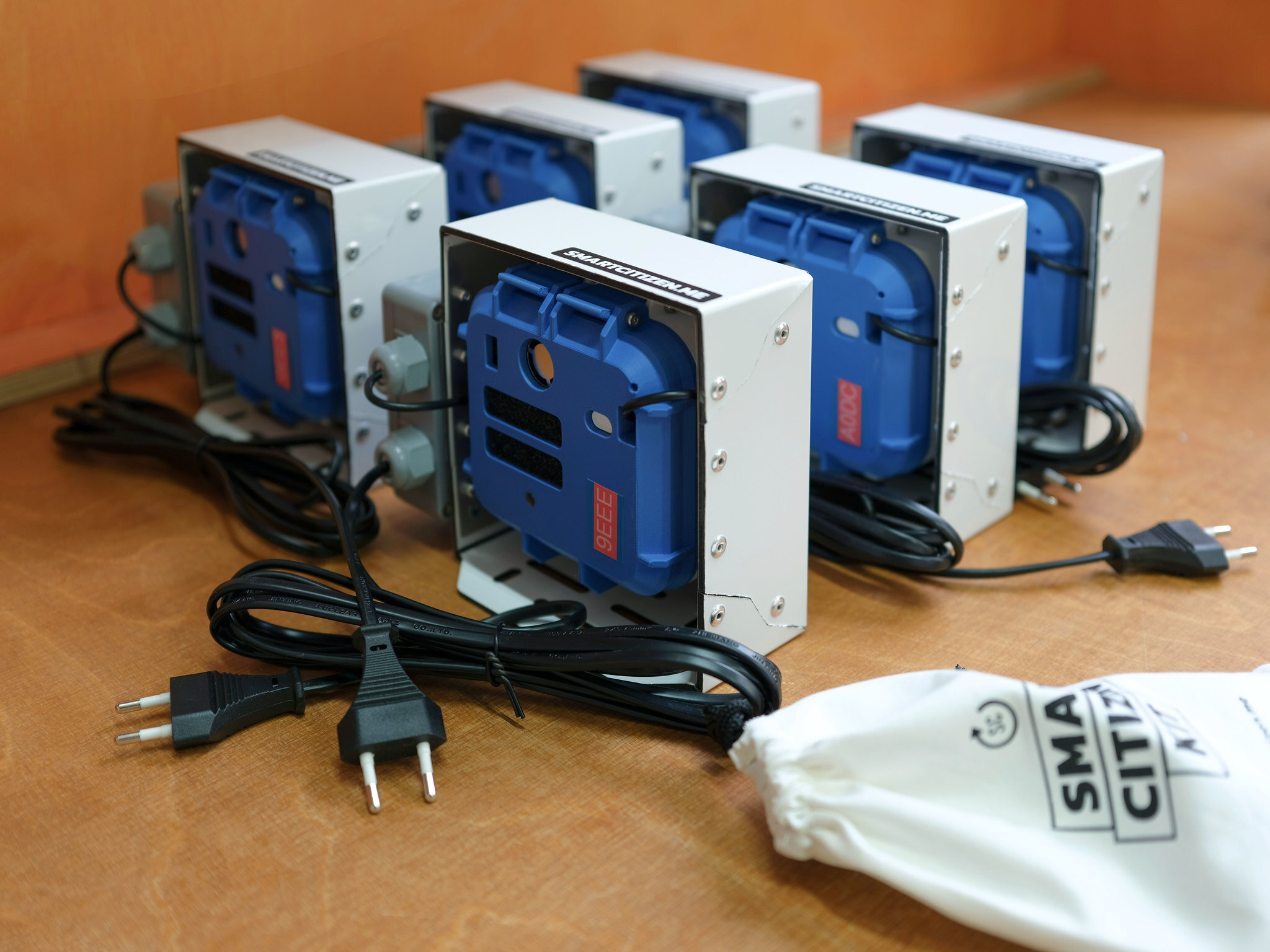
If you want to leave the SCK outdoors, protect the electronics.
[
 ](https://enclosures.smartcitizen.me)
There are plenty of freely available designs on our [enclosures repository](https://enclosures.smartcitizen.me). We have a wide range of open source designs that you can 3D print and build yourself, saving some industrial plastic manufacturing in the process. If you don’t have a 3D printer, you can always find a [Fab Lab near you](https://fablabs.io/labs/map) and once the enclosure’s use has run its course, you can repurpose it to make more 3D printing filament!
!!! info "Want to contribute? Or buy one?"
Visit the [Smart Citizen Enclosures repository](https://enclosures.smartcitizen.me) to download, modify, or add your own! Also, make sure you read [this fantastic summary](https://hackaday.com/2023/03/27/a-survey-of-long-term-waterproofing-options/) on how to waterproof sensors.
The enclosure is not available for purchases through _official_ channels, but for _large_ orders, we can provide it from [the Fab Lab Barcelona sales channel](mailto:info@smartcitizen.me).
## Deployment tips
!!! danger "SCK2.3 needs a battery"
Due to the power needs of the SCK2.3 (and SCK2.2), it always needs a battery connected.
Some basic deployment tips:
- Try to keep the SCK continuously powered if it is installed in a fixed location.
- Avoid using the SCK in places with high humidity or large amounts of dust; otherwise, clean/check the device periodically to prevent potential issues.
- Avoid covering the sensors, especially the PM sensor.
- Deploy the SCK facing downwards if outdoors, so that dust doesn't accumulate on the sensors.
- Avoid direct airflow towards the sensors; if exposed under flow conditions, keep the flow parallel to the sensor surfaces.
- Avoid exhaust from air conditioning units, kitchens, etc.
- Protect the sensors from moisture using filtering foam, nail polish, or both to cover the sensor pads (see [here](https://docs.smartcitizen.me/_FAQ.md#are-the-electronics-waterproof)).